
How do I apply for a campaign on Social Cat?
In this article, we'll learn how to apply for a collaboration on Social Cat.
Log in to your Social Cat account. On the left hand side, below Dashboard, you will see Opportunities. Once you click this, all of your available opportunities will appear, if you're interested in more information, click on the campaign and the full details regarding the campaign and the brand will appear on the right side of the screen.
From there you can either apply to the campaign or click the 'Not for me' button, if you're not interested.

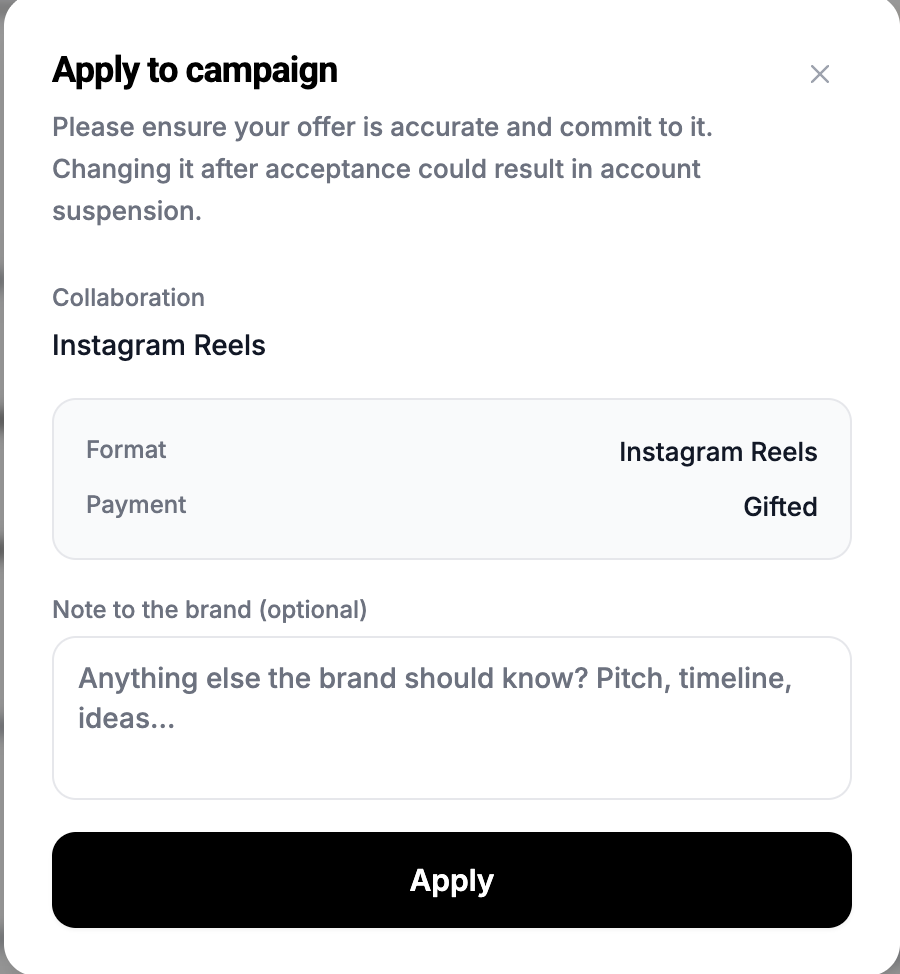
Once you have clicked on Apply to Campaign, you will have a pop up box with collaboration format and payment. Sometimes the brands allow you to choose which type of content you'd like to provide (TikTok, IG reel, IG story or IG Post), so in that case you'd select that first. You can also send a short message to the brand stating why you'd like to work with them, but this is optional. You can then confirm by pressing the Apply button.
Social Cat Tip 🕵️♂️ : Did you know we are free for creators? Feel free to sign up and explore the platform and its features firsthand.
Still have questions? 🤔 Please send us a message or email us at hello@thesocialcat.com.